
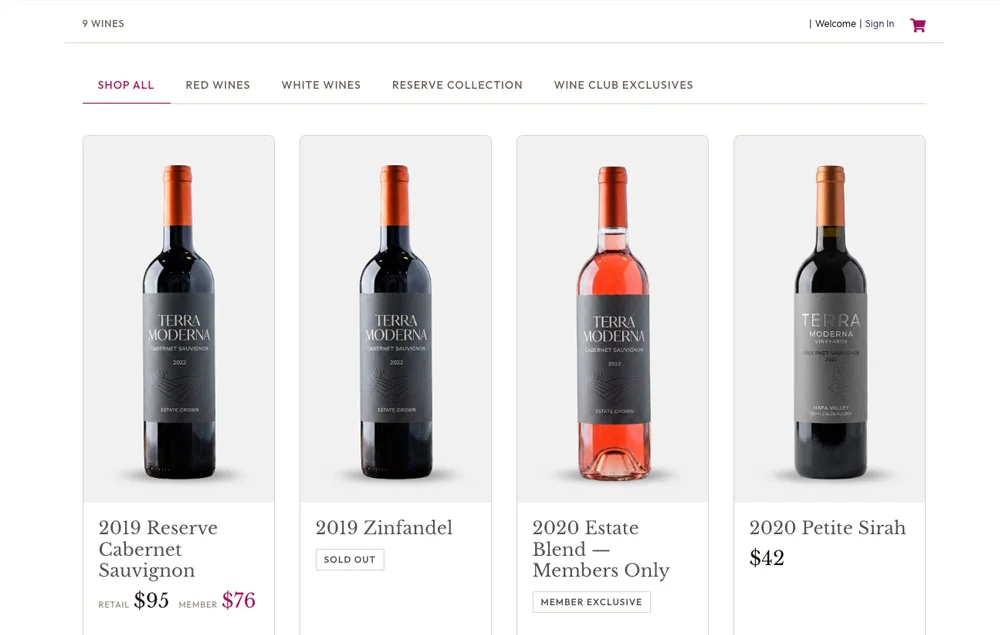
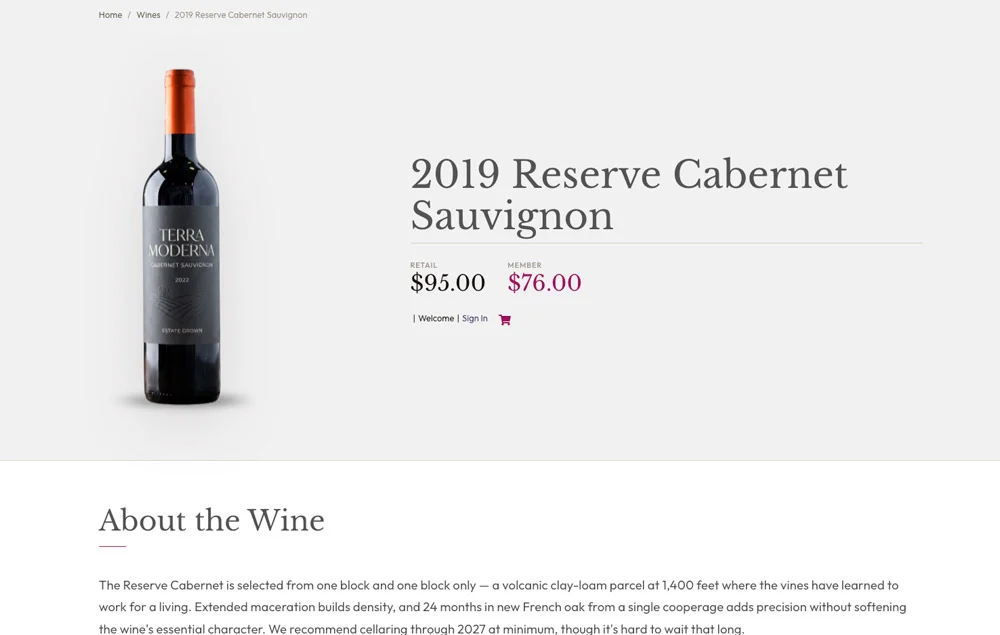
The wine presentation lives on your site — checkout stays with OrderPort.
Most OrderPort clients link to the OrderPort shopping cart for clients to view their list of wines. Wine Showcase allows you to present your wines in a beautiful, modern style that you can customize. Your catalog, pricing, club pricing, and orders all stay in OrderPort, where you already manage them. Nothing to reconcile, nothing entered twice.
Built to make a bottle look like it tastes.
Every wine becomes a page worth lingering on — the kind of presentation a tasting room deserves, generated automatically from the catalog you already keep in OrderPort.
Editorial layouts
Choose grid, list, or editorial for the collection, and hero-split or tasting-room for each wine. Magazine-grade, not catalog-grade.
Tasting notes & pairings
Appearance, aroma, palate, food pairings, body weight, and varietal composition — laid out with real typographic care.
Review scores
Wine Spectator, Decanter, or your own numbers shown as a clean badge that signals quality at a glance.
Up and running in three steps
No complicated configuration. If you can paste a sentence into a page, you can do this. Or Sungraphic can handle the whole setup for you.
Get your API access
Request access to your OrderPort catalog feed. If you do not have it yet, we can help you ask for it.
Add the plugin
Install Wine Showcase on your WordPress site and paste in your feed credentials. That creates the connection.
Add it to a page
Drop one shortcode, [opw_collection], onto any page. Your inventory appears and starts updating automatically.
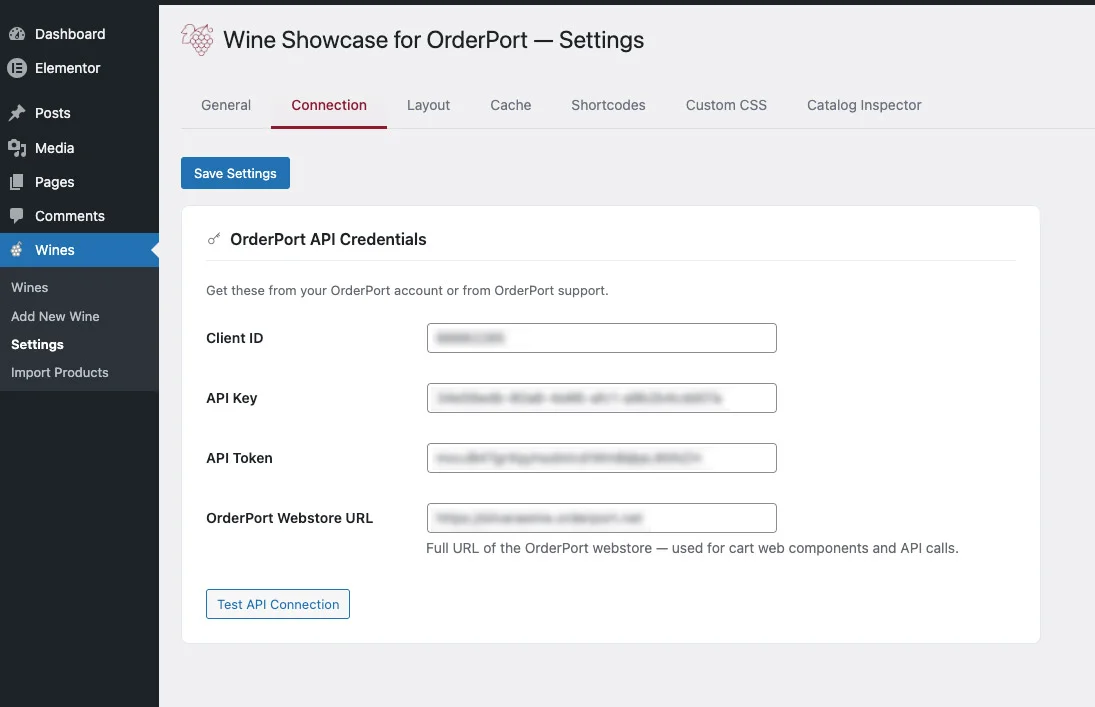
The search traffic and SEO value are now on your website, helping you rank for your wine and your keywords.
When wine lovers search Google or ask an AI assistant about a wine, winery, varietal, or tasting notes, the large wine marketplaces and review sites usually win because that is where the content lives. By showcasing your wines on your own website, the content and SEO value stay on your domain, helping more people discover your winery directly.
- Every wine can become a real, indexable page on your website
- Search engines and AI assistants can discover your wines, tasting notes, and product details directly
- Wine lovers land on your website, experience your brand, and purchase directly from you
- You build long-term SEO value and visibility on your own domain instead of sending that value to third-party platforms
Instead of relying solely on your OrderPort store pages, your website gains dedicated wine pages with tasting notes, vineyard information, awards, bottle imagery, and purchase links that help promote your winery 24/7.
Frequently asked questions
What is Wine Showcase for OrderPort?
Does it work with my OrderPort store?
Do customers leave my site to buy?
Do I have to enter my wines twice?
Can it match my winery's brand?
Do I need to be technical to use it?
Will it slow down my website?
How much does it cost?
Ready to enhance your OrderPort wine listings?
Request a demo or a quick quote. We can also help you figure out whether you already have access to the right OrderPort feed.